Rank tracking API: what it returns, what it costs, and how to build daily tracking

A rank tracking API lets your code ask a search engine for the results page of a keyword and get the ranked results back as JavaScript Object Notation (JSON). You send a keyword, a location, a language and a device. The vendor runs the search and returns the results in order. You track rankings by calling the API on a schedule and storing each answer. This article shows what the API returns, how vendors bill, whether to build or buy, and how to set up daily tracking on one.
How does a rank tracking API work?
Vendors use several names for the same product: rank tracker API, SERP tracker API and keyword position checker API. Many of them sell a search engine results page (SERP) API. It does not return "your rank". It returns the whole results page as structured data, and your code finds your domain in it.
The request names the search to run. In DataForSEO's Google organic API, the fields are:
keyword, up to 700 characters.location_codeandlanguage_code, such as2840anden.device, eitherdesktop(the default) ormobile.depth, the number of results to collect. The default is 10 and the maximum is 700.
The response lists the result items. For each organic item, DataForSEO's task results give two position fields. rank_group is the "position within a group of elements with identical type values". rank_absolute is the "absolute position among all the elements in SERP". The item also carries the url and domain. A check_url field gives the direct URL of the search engine results, so that you can check the vendor's answer yourself.
The two position fields differ when a results page holds other elements, such as a featured answer or a local pack. The response lists those in item_types, with values such as organic, paid, answer_box, local_pack and ai_overview. Decide which position you report, and keep to it.
Your code must also decide what counts as your result. Match the domain field exactly, and decide how to treat www and other subdomains. If several of your URLs appear for one keyword, store the highest one and keep the others in a separate column.
Other vendors use other names for these fields. SerpApi returns an organic_results list whose entries carry a position. Scrapingdog returns organic_results entries with a rank.
Rank tracking API or Search Console?
Google Search Console also reports position. The two sources answer different questions.
| SERP API | Search Console | |
|---|---|---|
| Covers | Any domain that appears in the results you request | Your own verified property |
| What "position" means | The place of a result in one search, at one location and on one device | An average across queries |
| Limit to plan for | The depth you request | The Search Analytics API "exposes a maximum of 50K rows of data per day per search type" |
Google defines the Search Console number as "the topmost position occupied by a link to your property or page in search results, averaged across all queries in which your property appeared". It is an average of the top position for each query. A SERP API gives you one search at a time. The two numbers will not match, and that is normal. One is a single search, and the other is an average over many searches. Use the API when you need a position for a chosen keyword, place and device. Use Search Console when you need what Google recorded for your own pages.
Strategist reports daily rank checks next to Search Console data for each tracked keyword, and the page track rankings describes it.
How much does a rank tracking API cost?
Vendors bill in different units, so a price per keyword needs a conversion. The table shows what each vendor's page said on 21 October 2026. Check each page again before you decide, because prices and limits change.
| Vendor | Unit | What the vendor page says |
|---|---|---|
| DataForSEO | SERP of up to 10 results | Standard queue $0.0006, priority queue $0.0012, live $0.002 per SERP. "Your account will be billed per each SERP containing up to 10 results." A depth above 10 may add charges. |
| SerpApi | Successful search | "Only successful searches are counted toward your monthly searches." Cached searches are free. Plans start with 250 searches a month at $0, then 1,000 searches for $25 a month. |
| Scrapingdog | Credit | "Each successful request costs 5 credits for standard search." Advanced search and mobile search cost 10 credits each. |
SerpApi's pricing page states the billing rule, and its Search API docs state "Cache expires after 1h". A tracking job that runs once a day will not hit it by accident, but a job that repeats a search within the hour can.
Convert a price to a cost per keyword
Use one formula for any vendor:
monthly cost = keywords × checks per day × days × price of one check
A check means one keyword, one location and one device. If you track a keyword on desktop and mobile, that is two checks.
Cost grows with each extra dimension, so count carefully. Take 500 keywords, one desktop check a day, 30 days and the DataForSEO standard queue price of $0.0006. The result is 500 × 30 × $0.0006, which is $9. The same 15,000 checks equal the 15,000 searches of SerpApi's Production plan, which its pricing page lists at $150 a month. Scrapingdog bills in credits, so you multiply 15,000 by 5 credits and compare the 75,000 credits with the monthly credits of each plan on Scrapingdog's pricing page. These sums use the vendors' stated prices and your own counts. They are not a test of any vendor.
Delivery method changes the price
DataForSEO bills the same search at three prices because it delivers it three ways. The overview says the live method "delivers results in real-time" and is the most expensive. The standard method "requires making separate POST and GET requests, but it's more affordable."
A daily job does not need an answer in six seconds. It can use the queue. Strategist's scheduled daily check posts DataForSEO tasks and collects them five minutes later.
Build or buy a rank tracker API?
You have two ways to get positions. You can run the searches yourself, or you can call a vendor.
Build. You run a headless browser, fetch the results page, and parse it yourself. You own the parser and every change to it. You also take the policy risk. Google's terms forbid "using automated means to access content from any of our services in violation of the machine-readable instructions". Read the terms and robots.txt before you automate any search.
Buy. You call a SERP API, and the vendor runs the search. You pay per search, and you depend on the vendor's uptime, coverage and terms.
Google's own Custom Search JSON API returns web search results as JSON. It states that it "is closed to new customers", and its pricing applies to existing customers until the service ends on 1 January 2027. Do not plan a new tracker on it.
Strategist runs rank checks through DataForSEO when you supply a key, and through a Playwright SERP scraper without one.
The two ways can also mix: call a vendor for most keywords and run your own checks for a few. Whichever you pick, keep the same columns in your table, so that you can switch source later without breaking the series.
Read the limits in the documentation
Limits decide whether a vendor fits your job. Look for them on the vendor's page, and note the date. DataForSEO's overview states that you can send "up to 10000 POST and GET API calls per minute in total", and that each POST call can contain "no more than 100 tasks". For the live method it adds that each call "can contain only one task". Scrapingdog's page states no rate limit. A missing limit is not the same as no limit, so ask the vendor.
Location needs the same care. SerpApi recommends that you use gl together with location for more consistent country-specific results. DataForSEO takes a location_code, and for a mobile search it lets you pick android or ios as the operating system.
Questions to ask
Ask these questions before you choose:
- How many keywords, locations and devices will you check, and how often?
- How fresh must a result be? A job that can wait for a queue costs less.
- Who fixes the job when the results page changes?
- Does the vendor document the fields you need, such as the position type and the SERP feature list?
How to build daily tracking on a SERP API
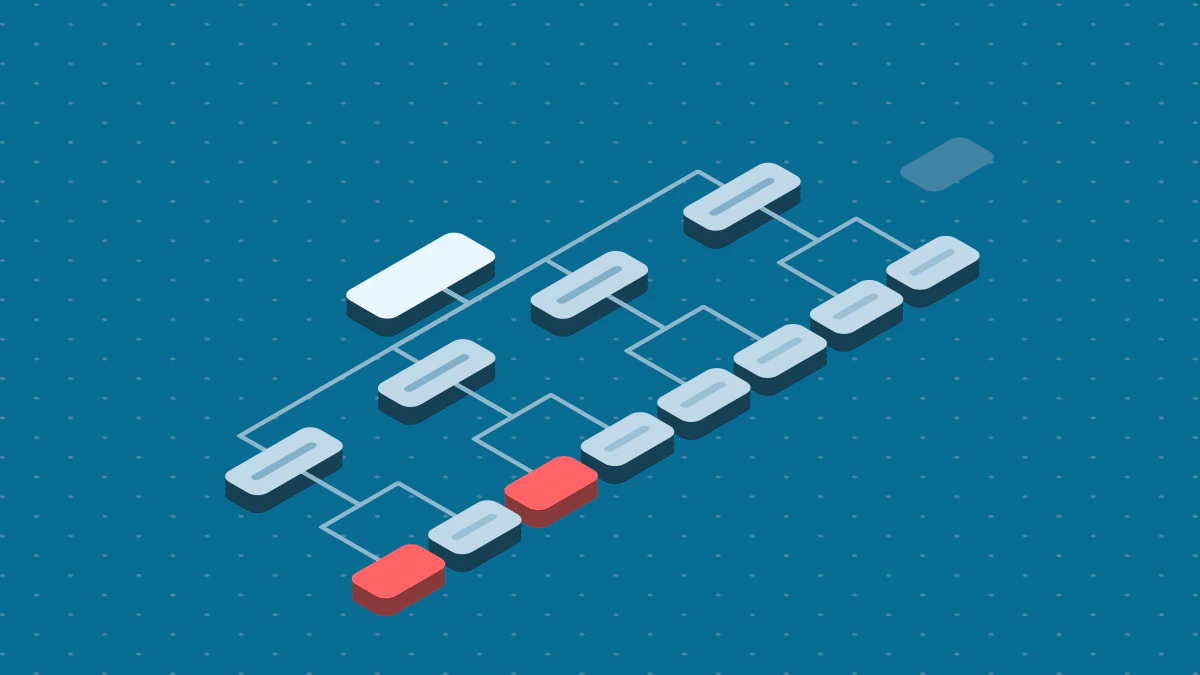
The figure shows the five parts of a daily job. The six steps below build it.
Fix the check. Choose the keyword, location, language and device, and never change them for a series. SerpApi advises that you "specify
locationat the city level in order to simulate a real user's search". It adds that if you omitlocation, the search "may take on the location of the proxy".Send the tasks. With DataForSEO, one POST call can hold up to 100 tasks. Each task is one search. Here is one task:
{
  "keyword": "rank tracking api",
  "location_code": 2840,
  "language_code": "en",
  "device": "desktop",
  "depth": 20
}
Collect the results. Poll with the task GET call, or set
postback_urlso that the vendor sends results to you when a task completes. DataForSEO states that you can get task results "within the next 30 days for free".Find your domain. Loop over the organic items and take the first one whose
domainmatches yours. If none matches inside yourdepth, store an empty position. Do not store0.Record failures. A failed call is not a missing ranking. Store the failure, retry it, and keep it out of the position series.
Store one row per check. Never update a row. A new check adds a new row, so the table is a time series.
A table for step 6 needs these columns:
CREATE TABLE rank_check (
  keyword     text        NOT NULL,
  location    text        NOT NULL,
  device      text        NOT NULL,
  checked_at  timestamptz NOT NULL,
  status      text        NOT NULL,  -- 'ok' or 'failed'
  position    integer,
  url         text,
  features    text[]
);
Then compare each row with the last one for the same keyword, location and device. Report moves, and flag keywords that left the depth you track.
What breaks a series
- A changed check. A new location or device starts a new series.
- A shallow depth. A page ranked at 14 reads as missing when the depth is 10.
- A mixed position type. If one run stores
rank_groupand the next storesrank_absolute, a feature appearing on the page looks like a ranking drop. - A stale answer. SerpApi states that its cache expires after one hour, so a cached result can be up to an hour old. Its
no_cacheparameter asks for a fresh search when the timing matters.
Next steps
- Read Track keyword rankings to set a check cadence and decide what to report.
- Read Rank tracking tools to compare the tools that run this job for you.
- Read SEO share of voice to turn a set of positions into one metric.